The ios application that saved me time on planning
During this week, mainly I have researched information in the field. On the other side, I tried to find a better way to optimise the work on 3D volume elevations. For a good project and closed walls on my elevations, I should have the perfect polyline on every line inside the Autocad. This would take more than a week to fix each line and thickness, arrange the layers, blocks, etc. This is the reason I have tried to search for alternatives. I know I could create great architectural plans in the Autodesk program with fine print details, but this is not the goal for my proposed project. I have the concept; I should be ready to go on the next phase for the Major project – the 3D elevations because I need just the interior space and the volume. Being aware that I should be on time with time management and not waste time on unnecessary details, I tried different options available for macOS and iOS( iPad pro)
After trying different options and features available on applications after one day and a half, I remained with just one. Fortunately, this application – iCanDesign App – also named Room Planner on the icon in AppStore, saved a lot of time for my project.
Using this application, I started drawing the plans again on the app, using the cotes from Autocad. I redrew each plan in this application. In addition, I added furniture and environmental elements for the interior.
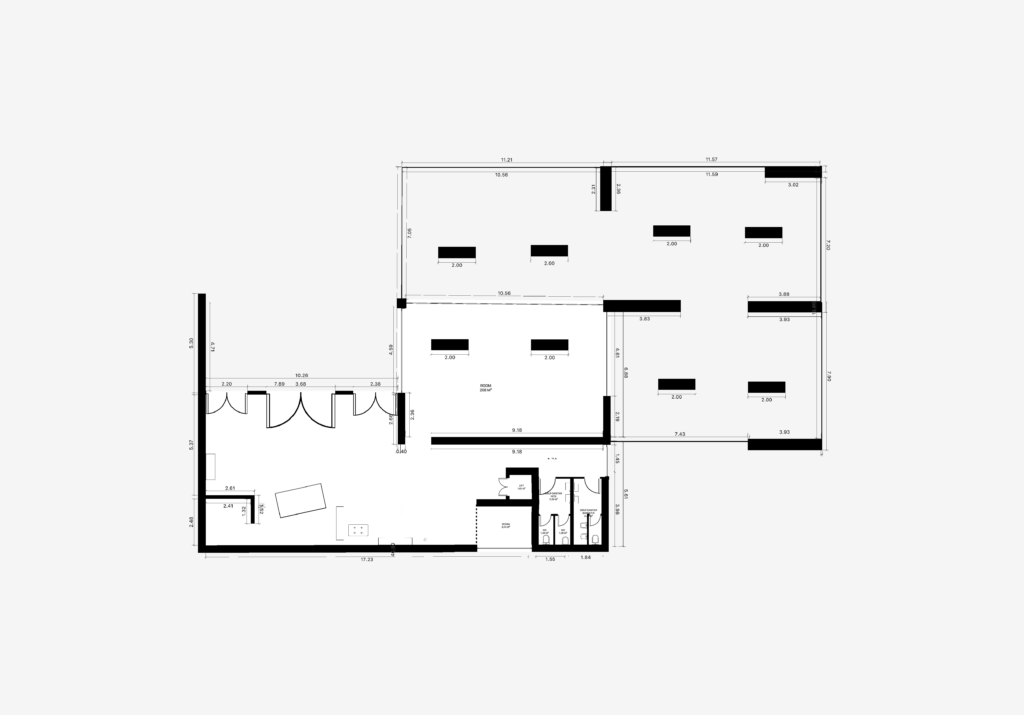
The ground floor – architectural plan
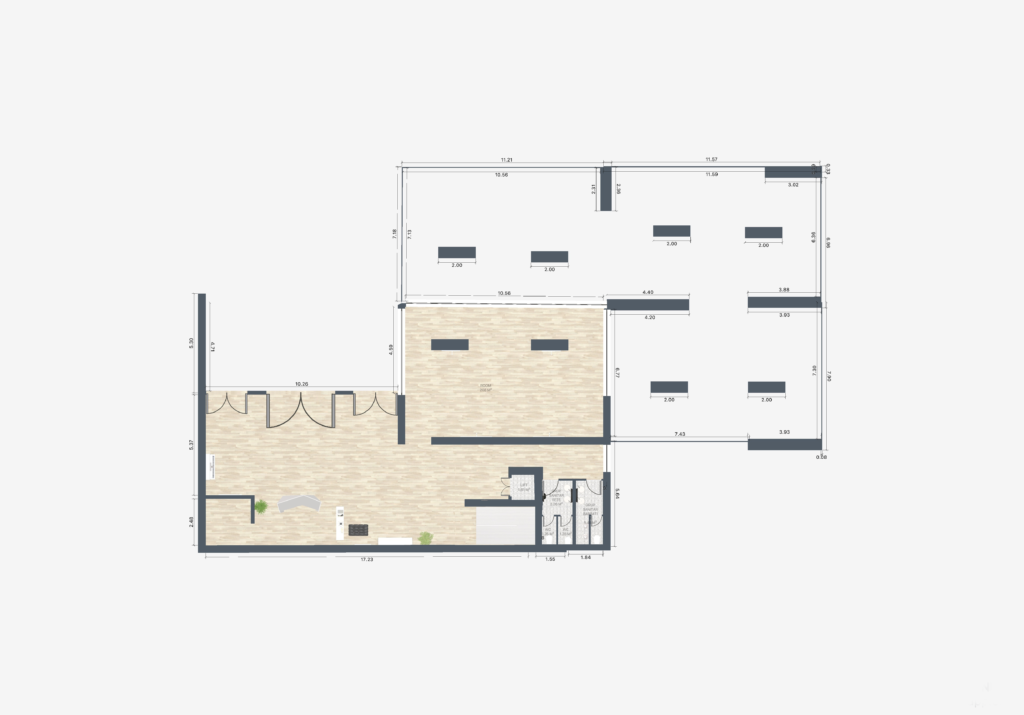
The ground floor – environmental plan
On the ground floor, I propose access into the building. We can find the reception and circulation node in the immediate vicinity to lead the visitor to the leading exhibition on the next level.
Also, on the ground floor, you can find a temporary exhibition that can be changed periodically. This room is a simple one, but it is oriented towards a different kind of outdoor exhibition. Outside, under the main gallery covering the ground floor, a covered terrace is created that can host digital artefacts, collections, or sculptures guiding the visitor on a path of discovery. It can be seen as an invitation to the interior or as a preview of what can be found inside the building. The visitor can walk around the building on two sides and, at the same time, look at the temporary exhibit on the ground floor. The auxiliary area was designed for when the building will be built. It consists of the traffic junction where you can find the elevator and stairs. Behind them, you can also find toilets for both genders. The corridor is lit by a tall window that allows direct natural light.
However, the most important place on the ground floor for this project is the lighted exhibition on two sides, which will also host sculptures to make the transition between exterior and interior.
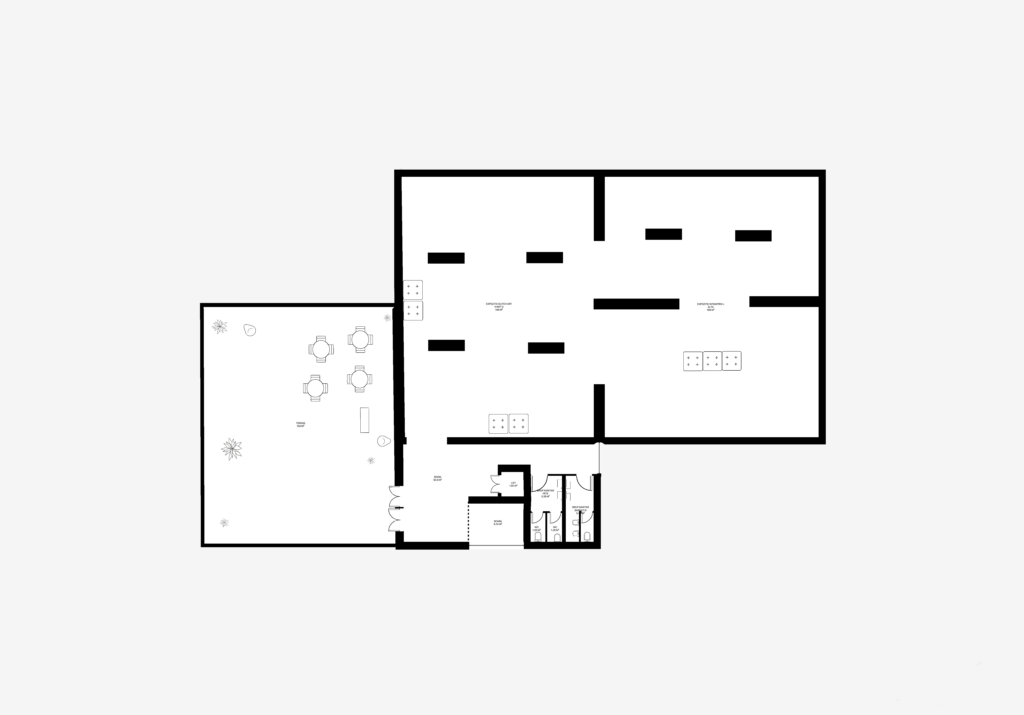
The first floor – architectural plan
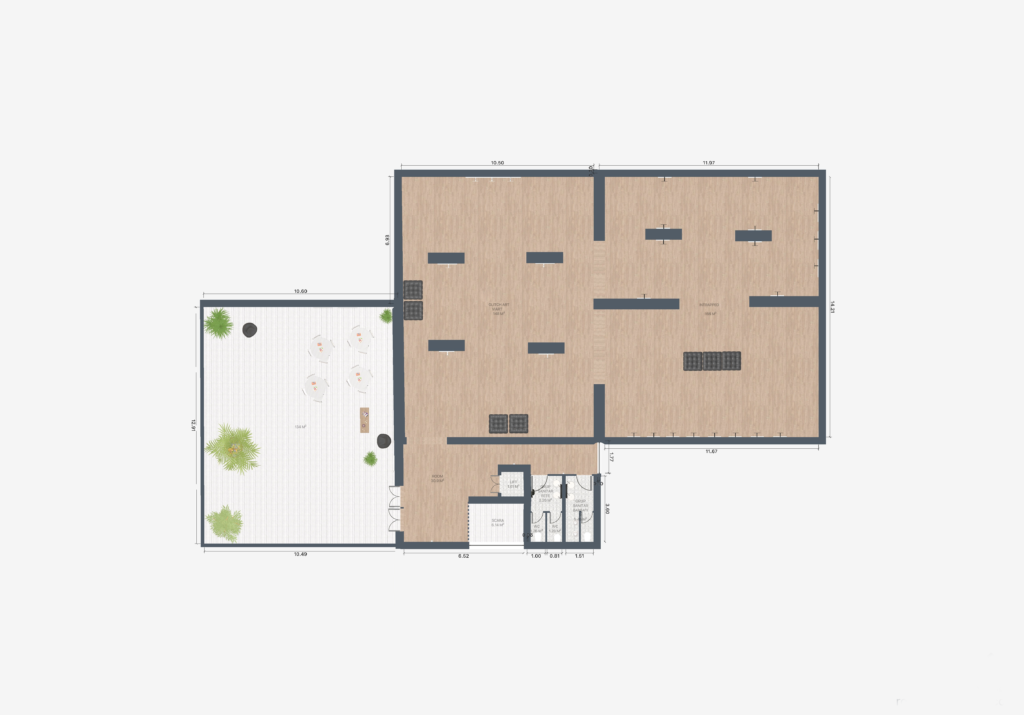
The first floor – environmental plan
The traffic node and the auxiliary area on the next level remain as similar as on the ground floor. At this level, there is an open terrace above the reception level on the ground floor. This terrace can host outdoor exhibitions, sculptural exhibitions, but also conferences or launch events.
The main part of this level is the exhibition gallery. The access into the gallery is made in the vicinity of the traffic node in the corner of the room to offer a dynamic perspective to those who walk inside.
That’s why I chose to have fragmented walls and a rough overview of the three rooms in each. I chose this location because I believe that such an interior space can highlight the works on display.
The chosen light must be indirect – that’s why it must be zenithal – through the ceiling to protect and not damage the exposed artefacts in the future when the gallery will be built. This type of zenithal light for exhibitions is recommended from light studies.
I can say that I am pleased after this week with what I’ve done inside this application, and I like the direction that this program offers. In the next week, I want to finalise the 3D volume and placing the artefacts.
