Block/unblock my creative process
We are at the beginning of the project, and I started with enthusiasm, but this week was a difficult one in terms of motivation and progress. I began the week with the knowledge that I will finish my architecture plans for the volume in just one week, being something easy that I’ve done before in the past many times. I had a clear idea in mind, I started sketching by hand a few drawings to enable my creativity, but I felt that it is not enough or the right way to do it. I continued my researches in the field when I felt blocked. For me, when everything looks clear and after that, I found myself in front of a wall, it isn’t easy to reconfigure the plan for a while. For this project, I considered the easy part seems to be the difficult one because it is the creative part where I should create something from scratch. The architectural plan in the “L” shape that I had in my mind when I started the project seems to be not enough at this moment. I felt that It is too simple or boring to walk between 2 walls with just one point of perspective.
Because I have had a new computer since I started this postgraduate program, I began to install the Autodesk programs to work with them. Unfortunately, after a few tries and one day searching for why I failed when I tried to install the Autocad, I found an explanation on forums. Because my laptop is new and the operating system is also new, the Autocad from Autodesk for MAC licence management is not actualised, and it can appear incompatibly. Fortunately, I had the program installed on my old computer, and I worked my plans there, where everything worked correctly, having an old operating system.
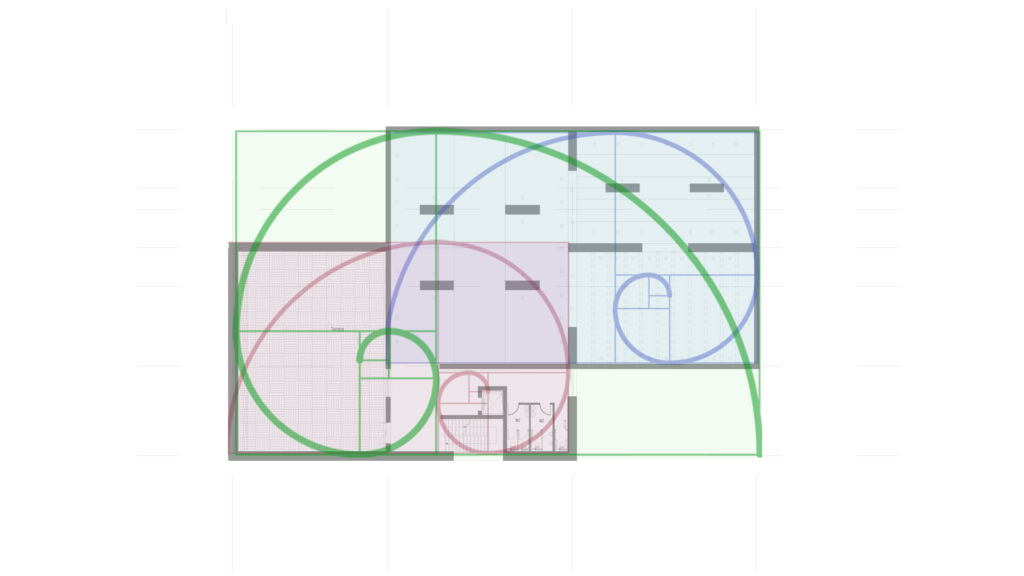
First floor – golden ratio graphic overlay on the plans – a graphic that helped me to create the plans and unblocked the creative process
I started working on the Autocad program, maybe working inside the project will help me. After a few days, drawing in cad, printing the plans and sketching over them, I remembered some rigorous rules of composition from my previous studies – The Golden ratio. Using this concept, I started working on the plans and overlaying the golden rectangle over my plans. Using this concept, I unblocked my ideas, and I started to be productive. I created a composition for the gallery but also proposed that the entire volume could be built in the future. As a consequence, I should create some other auxiliary spaces necessarily for a real building. Looking at the golden rectangle that helped me a lot to create the gallery, I slid the same volume, and I created another level under the main gallery. In this way, I could host there all the other spaces.
After one week, I figured out my architectural plans, and I was able to go on to the next step… but I felt that I am not happy with the quality of the plans, and It will take too long, time wasted to make them look as it was supposed to be in Autocad. I have knowledge about different applications that can help me to export some good looking plans in a shorter time than to export them from Autodesk in Pdf – pdf in Photoshop, working there with some textures and after that exporting them again in png or in pdf format. I will search after some mobile applications for my iPad Pro tablet, and I will update next week on the point where I will be with this.
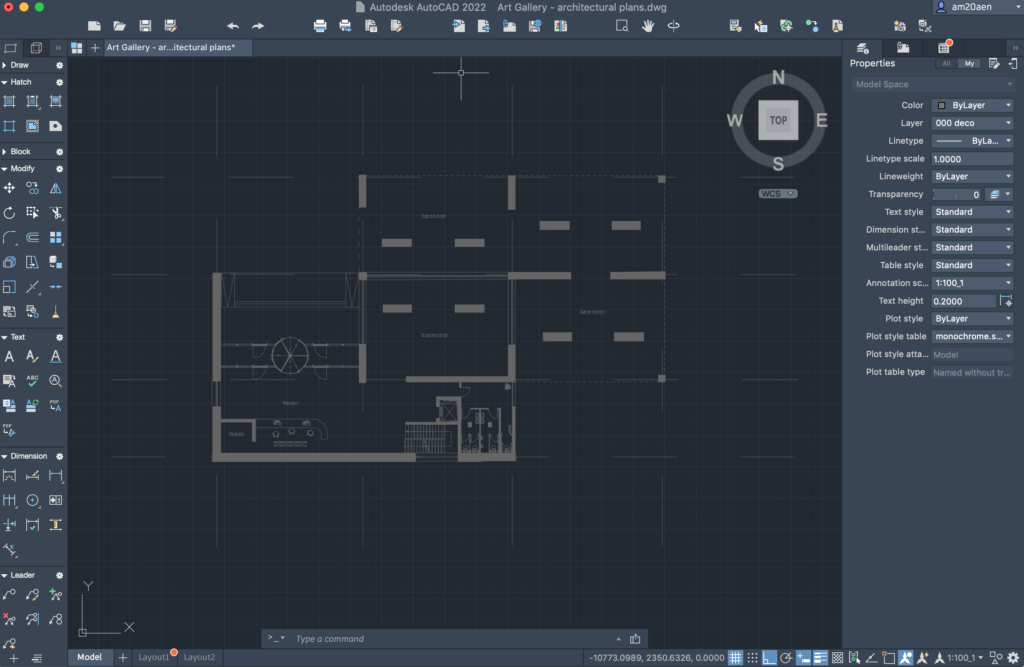
Ground floor – with access area
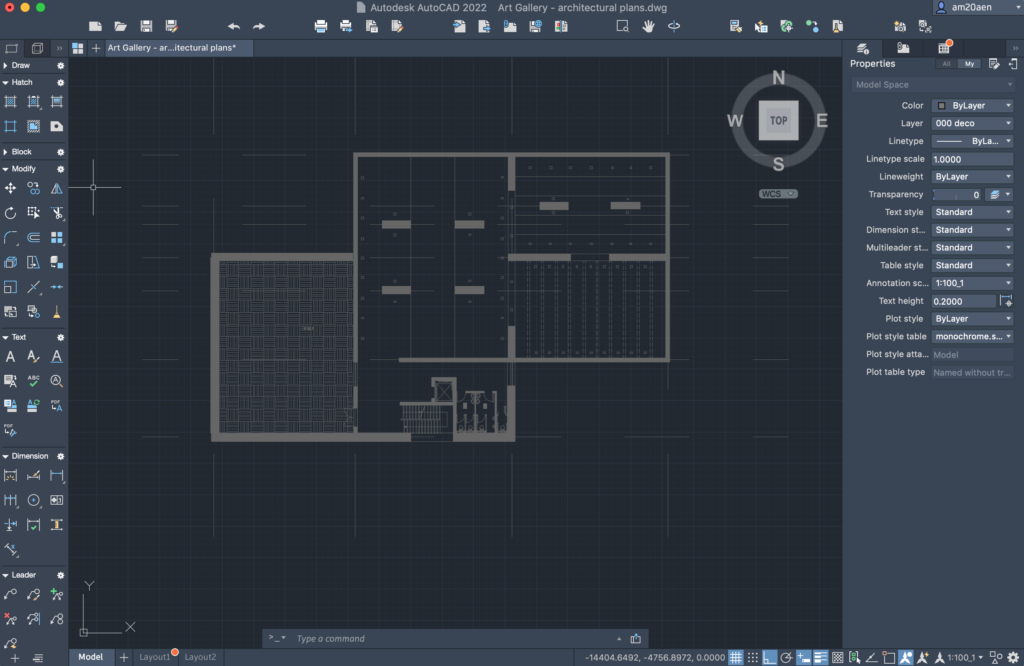
First floor – with the main gallery area
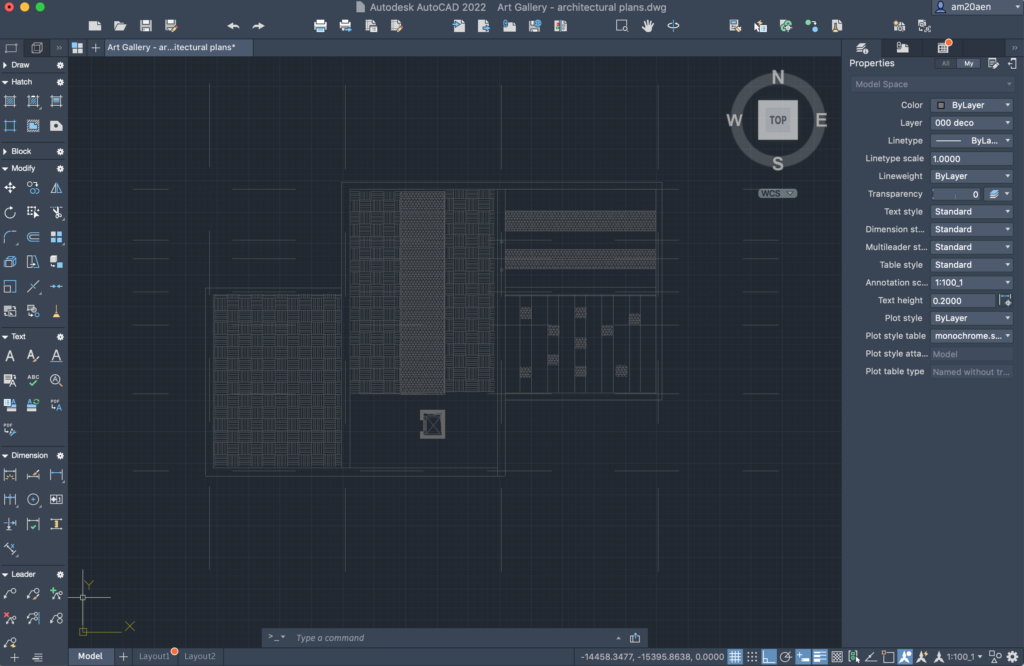
Top view – necessary for AR in another part of the project
