

During this part of the week, I exported the first 360degree images inside my 3D gallery. I had to do some tests because not all of them comes good looking. I had some images that I couldn’t use, maybe it was the computer processor or something else, but I selected just the good ones because it took time for rendering, and I need focus to try them on the 360degree tour how to display them. I tried to upload the jpeg images on Facebook because I saw on social media that many people are posting interactive images. Unfortunately, it totally failed. I also tried to send them on Facebook and open the images into the VR Oculus headset, but the result was the same. At this moment, I was devastated. I felt that all I prepared until this point was useless, but I also felt that should be a way to use my images because I saw them in the past.
Two days, I found nothing. I tried many things, but my image was perceived as a regular image, but a 360 degree one. Working deep in the night, trying to find a solution, among other things, I found a revelation for my project. Somehow, Facebook had a dedicated page for 360 media and provided templates in photoshop for export 360 content. I was surprised. Everywhere I tried to upload my images, it was requested to be captured by a 360 camera, not created by a rendering from a program.
Also, on that page, I found the information for exporting the image – with “save us” – jpg, not “export as”. The important fact was that after I processed it, the same image was a 360degree image. That was revealing. I felt so relieved when I saw that I could interact with it on Facebook in the 360degree feature.
The next day, I tried many programs to host my image to embed it on the website. Google requires to be capture with a 360 camera, again.. I had some headaches because It was not so easy to find something to suit my project. The regular way to create a virtual tour is to have it in the real world and scan it. At this part, I faced struggles because my approach was different.
After searches and researches, I found memento360. I uploaded one image, and I was excited about the result. On the other hand, I visualised the artefacts, but the quality of the image was not so good or what I expected. I tried to export again, the same issue. At some point, I had an idea. It was worthed for trying. I reupload the images in the same template format, and I manipulated the artefact images on the 360 images as an overlay. For export, I flattered the image, and I respected the exporting format. I reuploaded the image on the momento360 platform, and I was amazed: the difference was enormous. When you are on a virtual tour, that was important for me to see a clear image and an artefact or environment that looks like a real space. In the first step of the project, I decided to use Kunsmatrix to host my exhibition, but they do not offer me the possibility to create my interior environment. Everything looks similar and artificial created. I wanted to have something with a human touch.
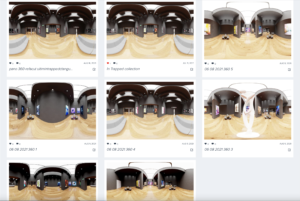
Memento 360 platforms behind the virtual tour
Later edit. I uploaded and reuploaded images, rectified and delete the old ones not to overlap them.
